
Google Business Profile Re-Verification: What to Do When Google Asks You to Verify Again
Re-verification can be frustrating, especially when your profile was already verified. This guide explains why it can happen, what to do next, and how service-area businesses can prepare for Google's verification process.
You Can Be Verified and Still Be Asked to Verify Again
You finally have your Google Business Profile verified, your reviews are coming in, customers are finding you on Maps, and then Google asks you to verify the business again.
For business owners, especially HVAC companies, plumbers, contractors, and other service-area businesses, that can feel like a major setback. But a re-verification request does not automatically mean you did something wrong.
Google may request additional verification when business information changes or when it needs additional evidence that the information associated with the profile is accurate.
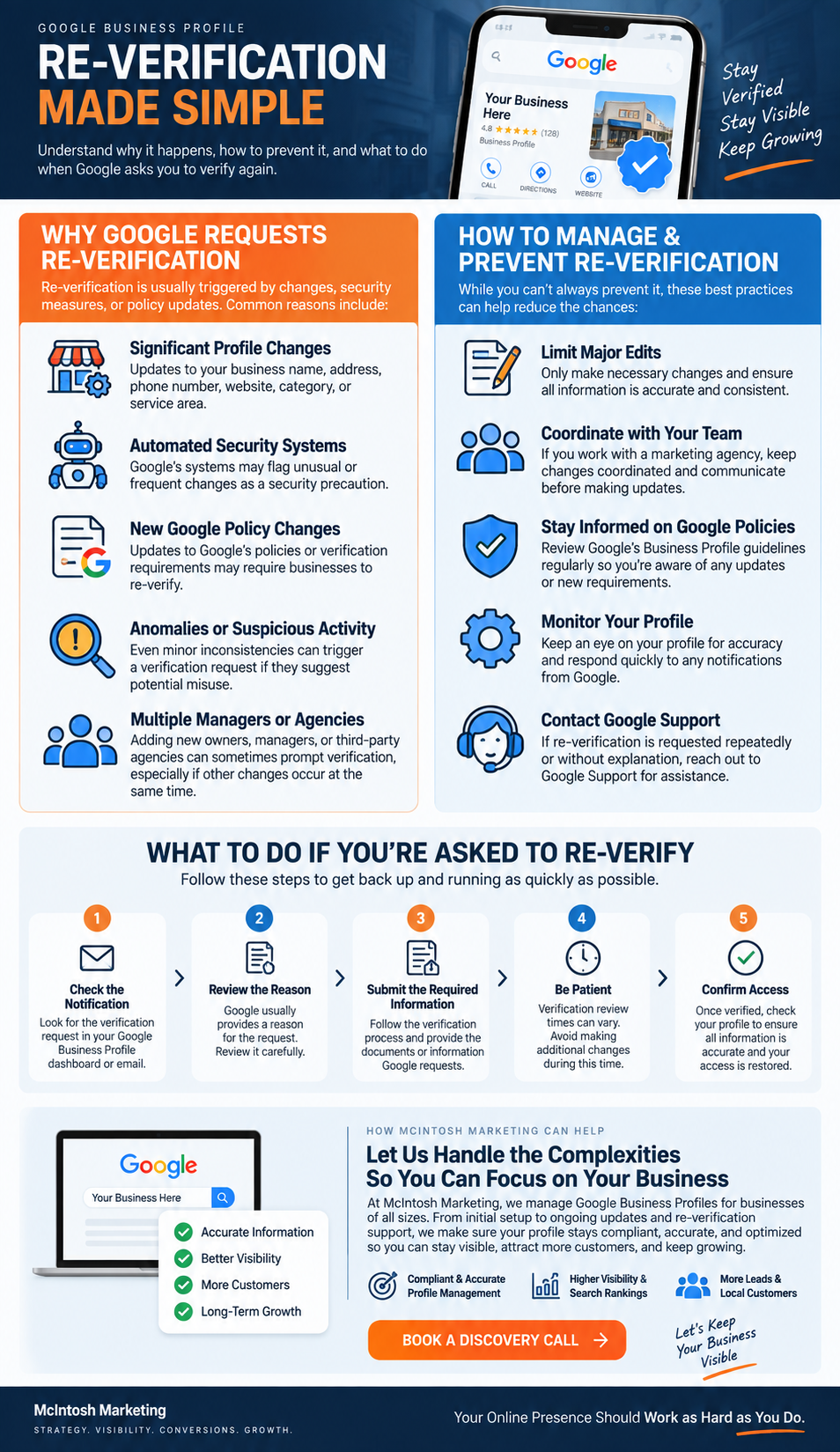
Why Is Google Asking Me to Re-Verify My Business?
There is not always one obvious reason, but several situations can increase the likelihood that Google asks for additional verification.
Important Business Information Changed
Changes involving the business name, address, category, service area, or other important details can lead to additional verification requirements.
Google Needs Additional Information
Sometimes the verification option can reappear because Google could not completely verify the business or needs more evidence that the profile represents a legitimate business.
Your Profile Information Needs to Be Reconfirmed
Google continually works to maintain accurate business information, so it is important to monitor your profile and review changes rather than assuming everything will stay untouched.
There Have Been Multiple or Uncoordinated Changes
When multiple people manage a profile, changes can easily overlap. A clear internal process reduces the risk of unnecessary edits or conflicting information.
Did Adding My Marketing Agency Cause the Re-Verification?
Adding a legitimate agency or authorized manager does not automatically mean your profile will be forced into re-verification.
Google provides functionality for verified businesses to add third parties who help manage the profile. The bigger issue is how the profile is managed after access is granted.
What Can Create Problems
- One person changes the primary category
- Another person updates the website URL
- Someone else changes the service area
- Important profile updates happen without coordination
- Different parties are working from outdated business information
A Better Management Process
- Know who has access to the profile
- Assign responsibility for major updates
- Document important profile changes
- Coordinate changes between the business and agency
- Confirm accuracy before publishing major edits
What Should You Do If Google Requests Re-Verification?
The safest approach is to review the profile carefully and follow the verification method Google presents rather than making a series of random changes.
Do Not Panic and Do Not Start Changing Everything
Review your business name, address or service area, primary category, phone number, website, hours, and other important information. Confirm that the profile accurately represents the real business.
Look at the Verification Method Google Gives You
Google determines which verification methods are available based on the business and other factors. Possible options may include video recording, phone or text, email, live video, or mail.
Prepare the Required Proof
Gather the business information, signage, work equipment, documentation, vehicles, or other proof needed for the verification method Google provides.
Submit the Verification Carefully
Follow Google's instructions exactly. Avoid editing the video, skipping required proof, or introducing information that conflicts with the Business Profile.
Monitor the Profile While You Wait
Avoid unnecessary major changes while verification is under review. If Google reports an issue, address the specific issue rather than changing unrelated parts of the profile.
If Google Requires a Video, This Is Where Preparation Matters
Video verification has become especially important for service-area businesses because Google wants to see evidence that the business exists, operates where it says it does, and is being managed by an authorized person.
Your Verification Video Should Be
Google also advises businesses not to include sensitive information or other people's faces in the verification video.
HVAC Companies, Plumbers, Roofers, Electricians and Other Mobile Service Businesses
If your company travels to customers rather than serving them at a storefront, you may need to demonstrate three things during video verification:
Where the Business Operates
Show street signs, nearby landmarks, building numbers, or other location identifiers that help establish where the business is operating.
That the Business Exists
Show professional tools, equipment, products, workspace, business cards, branded clothing, or other real-world evidence of the company.
That You Manage the Business
Show access to business-only assets, such as unlocking a branded work vehicle or presenting business documentation that matches the Business Profile.
That the Address Is Appropriate
If customers do not come to your business location, the address should not be displayed publicly on the profile. Use a service-area setup instead.
What Happens After You Submit Verification?
Verification review times can vary. If Google identifies an issue, it may give you an opportunity to review what was missing and submit another verification.
How to Reduce Future Google Business Profile Problems
You cannot guarantee that Google will never request verification again, but you can manage the profile in a way that reduces avoidable confusion.
Keep Information Accurate
Your real-world business information and your Google Business Profile should match.
Coordinate Profile Management
Know who has access and who is responsible for important profile changes.
Use Categories Correctly
Select categories that accurately describe what the business does rather than treating categories like a list of keywords.
Monitor Profile Updates
Review notifications and changes regularly rather than assuming the profile will always remain exactly as configured.
Your Google Business Profile Is Bigger Than Verification
Getting verified is not the end goal. The goal is for the right customer to find your company, trust what they see, and take the next step.
Someone searching “HVAC company near me,” “plumber near me,” “AC repair near me,” or “roofing contractor near me” needs to be able to discover your company and quickly understand why they should choose you.
Verification simply gives you the ability to participate. Your marketing strategy determines what happens next.
Google Business Re-Verification FAQs
Why would Google ask me to verify my business again?
Can adding a marketing agency trigger re-verification?
Can I choose how I verify my Google Business Profile?
What should service-area businesses show in video verification?
Should I display my home address if customers do not visit me there?
What should I do while verification is under review?
Your Google Business Profile Should Do More Than Simply Exist
McIntosh Marketing helps businesses improve Google Business Profile management, local visibility, content, reviews, website alignment, Local SEO, and the broader customer journey from search to lead.
